
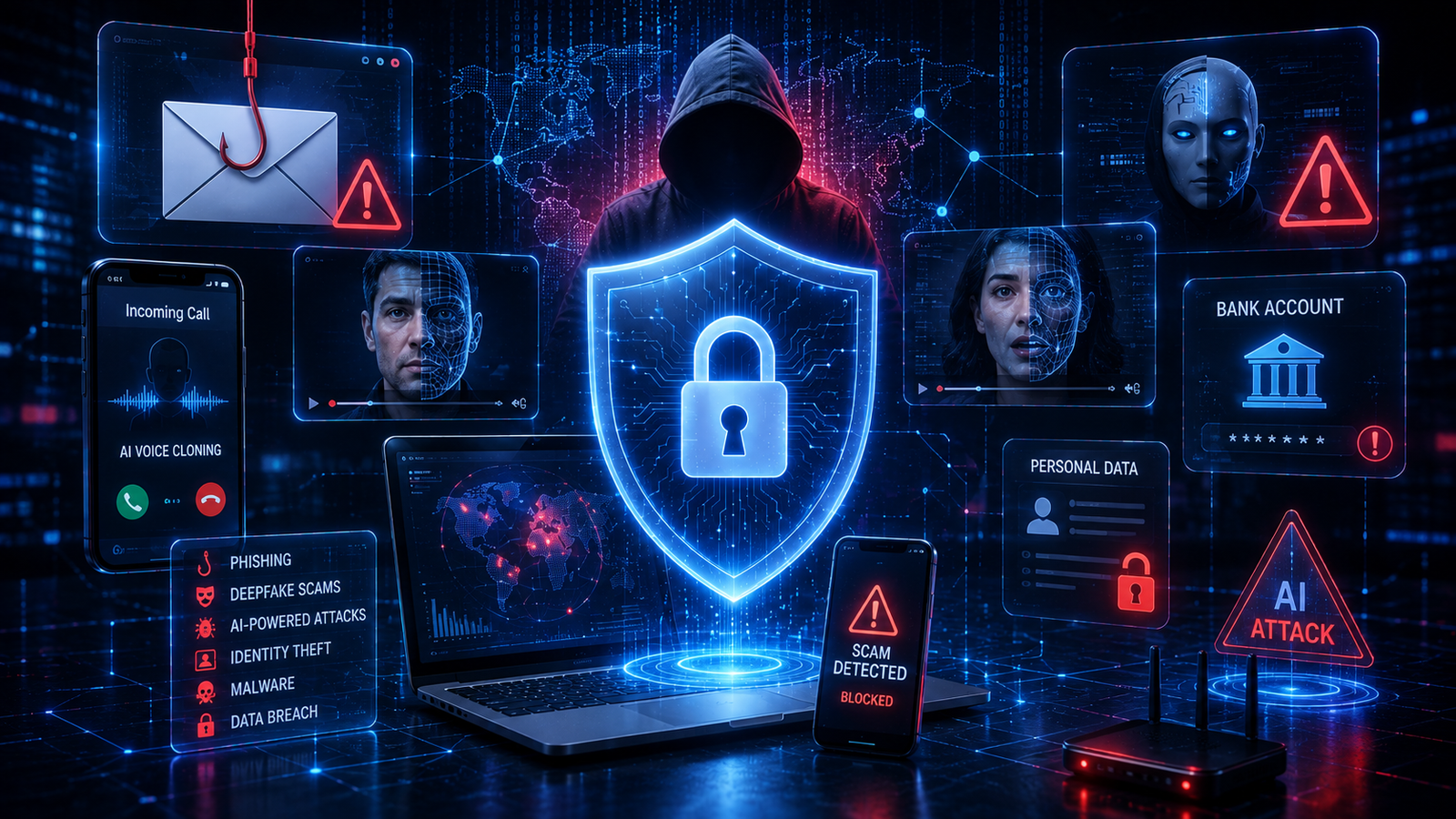
Deepfake Scams, Phishing & AI Attacks: How to Stay Safe Online in 2026
Artificial intelligence has made many online tasks faster and easier—but it has also given scammers better tools for impersonation, phishing, social engineering, and fraud. A scammer can now generate convincing messages, create fake profiles, clone voices, manipulate videos, and produce realistic-looking documents at a scale that was much harder to achieve in the past.
The FBI’s 2025 Internet Crime Report recorded 22,364 complaints involving AI-related cybercrime, with adjusted losses exceeding $893 million. The wider report recorded more than 1 million internet-crime complaints and nearly $21 billion in reported losses.
The important lesson is not that every AI-generated message or video is dangerous. It is that you can no longer rely on appearance, voice, or polished writing alone to decide whether something is legitimate.
This guide explains how deepfake scams, phishing attacks, and other AI-powered threats work in 2026—and, more importantly, what you can do to protect yourself.
What Are AI-Powered Scams?
AI-powered scams use artificial intelligence to make traditional fraud more convincing, personalized, automated, or scalable.
Instead of manually writing hundreds of messages, criminals can use AI systems to generate customized communications. Voice-cloning technology can imitate a person’s speech, while synthetic images and videos can make fake identities appear more credible.
Common examples include:
- AI-generated phishing emails
- Voice-cloning scams
- Deepfake video calls
- Fake customer-support messages
- AI-generated social-media profiles
- Executive impersonation
- Romance scams
- Fake investment opportunities
- Identity impersonation
- AI-generated fake documents
- Fraudulent websites and advertisements
AI does not necessarily create an entirely new type of crime. In many cases, it makes an existing scam more believable and easier to scale.
Why AI Scams Are More Difficult to Detect in 2026
Traditional phishing warnings often focused on obvious spelling mistakes, strange formatting, or suspicious-looking emails.
Those clues are becoming less reliable.
AI can help scammers produce professional-looking messages with natural language and highly targeted details. The FBI specifically warns that criminals are using synthetic content, fake social profiles, personalized conversations, voice cloning, and believable videos in fraud schemes.
This creates a new security principle:
Do not trust content simply because it looks, sounds, or reads like the real thing.
Instead, verify the person, request, website, and transaction independently.
12 Warning Signs of Deepfake, Phishing and AI Scams
1. The Message Creates Extreme Urgency
One of the strongest scam signals is pressure to act immediately.
Examples include:
- “Your account will be closed today.”
- “Send the money within 10 minutes.”
- “Your computer has been hacked.”
- “Your payment failed—click here now.”
- “Do not tell anyone about this.”
The goal is to stop you from thinking carefully.
The FBI recommends essentially taking a pause before responding to suspicious requests. Its 2026 guidance describes this as “Take a Beat”—resisting pressure and assessing the situation before providing money or personal information.
What to do: Stop. Do not click, transfer money, or disclose information until you independently verify the request.
2. A Loved One Suddenly Calls in an Emergency
Voice cloning has made family-emergency scams more convincing.
A scammer may claim to be your:
- child
- parent
- spouse
- grandchild
- friend
They may say they have been arrested, injured, stranded, or involved in an emergency and urgently need money.
The FBI reported that victims lost more than $5 million in 2025 to distress scams involving a likely AI nexus, including the use of voice cloning to imitate loved ones.
What to do: Hang up and contact the person through a phone number or communication method you already know.
3. The Sender Wants Money Through an Unusual Method
Be especially cautious when someone suddenly requests payment through:
- cryptocurrency
- gift cards
- wire transfers
- payment apps
- unusual bank-account details
A familiar-looking identity does not make the payment request legitimate.
The FTC warns that government impersonators do not legitimately demand payment through payment apps, cryptocurrency, wire transfers, or gift cards.
4. You Are Asked to Click an Unexpected Link
Phishing messages often attempt to move you from a trusted service to a fraudulent website.
A message may claim to be from:
- your bank
- a delivery company
- Microsoft
- Apple
- a streaming service
- a social network
- your employer
- a government agency
Instead of clicking the provided link, open the official website or app yourself.
5. A Website Looks Real but the Address Is Wrong
A professional design does not prove that a website is legitimate.
Scammers can reproduce:
- logos
- colors
- layouts
- login pages
- customer-service interfaces
- security warnings
Always inspect the actual domain name.
A page can look almost identical to a legitimate website while being controlled by someone else.
6. Someone Wants Your Password or Verification Code
Treat unexpected requests for passwords, one-time codes, authentication codes, or recovery information as highly suspicious.
A scammer who already knows your name, workplace, phone number, or other details may still be attempting to gain access to your account.
Never disclose a one-time authentication code simply because someone claims to be from customer support.
7. A Video or Voice Call Feels Slightly Unnatural
Deepfakes can sometimes contain visual or audio inconsistencies.
Possible warning signs include:
- unnatural facial movement
- unusual blinking
- inconsistent lighting
- strange lip synchronization
- robotic speech patterns
- unusual pauses
- inconsistent background audio
- poor transitions between facial expressions
However, these signs should not be treated as a foolproof detection method.
AI-generated content is improving rapidly, so independent verification is safer than trying to identify a deepfake by appearance alone.
8. The Person Knows Surprisingly Specific Details About You
Personalized scams can be much more persuasive.
A scammer may know:
- your employer
- your relatives’ names
- recent purchases
- your location
- your interests
- your social-media activity
This does not necessarily prove that the person is legitimate.
Public social-media information can help criminals create convincing stories and targeted attacks. The FTC has reported that social media was the starting point for nearly 30% of people who reported losing money to scams in 2025, with reported losses reaching $2.1 billion.
9. A “Bank” Tells You to Move Your Money to Protect It
This is a major red flag.
A scammer may claim:
“Your account has been compromised. Move your money to a secure account.”
The supposed secure account may actually belong to the criminal.
The FTC specifically warns about impersonation scams in which criminals convince victims that their money is at risk and instruct them to transfer it for protection.
Never transfer money simply because an unexpected caller tells you to protect it.
10. An Investment Opportunity Sounds Too Good to Be True
AI can help scammers create professional investment websites, persuasive presentations, fake testimonials, and convincing online personalities.
Warning signs include:
- guaranteed returns
- pressure to invest immediately
- secret investment opportunities
- fake celebrity endorsements
- requests to send cryptocurrency
- instructions to move conversations to private messaging apps
- promises of unusually high profits with little risk
Do independent research before sending money.
11. A Government or Company Representative Threatens You
Impersonators may claim to be from:
- tax authorities
- police departments
- courts
- immigration agencies
- banks
- technology companies
- delivery services
They may threaten arrest, account closure, fines, or legal action.
The FTC says impersonation scams remained the most frequently reported fraud category in 2025, with consumers reporting more than $3.5 billion in losses.
12. You Are Told Not to Verify the Story
This is one of the biggest red flags.
Scammers may say:
- “Don’t call the bank.”
- “Don’t tell your family.”
- “Don’t hang up.”
- “Don’t check the website.”
- “Don’t speak to anyone else.”
That isolation is intentional.
A legitimate organization should not need you to avoid independent verification.
Deepfake Scams vs. Phishing: What’s the Difference?
| Threat | Main Technique | Typical Goal | Example |
|---|---|---|---|
| Phishing | Fake messages or websites | Steal credentials or information | Fake bank login |
| Voice cloning | Imitated voice | Manipulate the victim | Fake family emergency |
| Deepfake video | Synthetic video | Impersonation or deception | Fake executive video call |
| Social engineering | Psychological manipulation | Obtain money or information | Urgent payment request |
| Business impersonation | Fake employee or company | Steal funds or data | Fake CEO payment request |
| Romance scam | Fake relationship | Obtain money | Fake online partner |
| Investment scam | Fake opportunity | Steal funds | Fake AI trading platform |
These techniques can also be combined.
For example, a criminal could use a fake social profile, AI-generated messages, a cloned voice, and a fraudulent investment website as part of the same campaign.
How AI Can Make Phishing More Convincing
AI can help scammers personalize phishing campaigns.
Instead of sending a generic message, a criminal may create a communication that references a person’s:
- employer
- recent activity
- interests
- location
- relationships
- online posts
AI can also generate professional-sounding business emails and messages.
The FBI’s 2025 IC3 report notes that AI can be used to create official-sounding business emails and support phishing links or fraudulent wire-transfer instructions.
That means grammar and spelling are no longer sufficient indicators of legitimacy.
How to Verify a Suspicious Message
Use the following process whenever something feels unusual.
Step 1: Stop
Do not respond immediately.
Do not click the link.
Do not download the attachment.
Do not send money.
Step 2: Identify the Request
Ask:
- What exactly is this person asking me to do?
- Why do they need it?
- Is this request normal?
- Why is it urgent?
Step 3: Verify Independently
Use a trusted method.
For example:
- Open your bank’s official app.
- Type the company’s website manually.
- Call a known phone number.
- Contact the person through an existing conversation.
- Speak to another employee or family member.
Do not use contact information provided in the suspicious message.
Step 4: Check the Account or Transaction
If someone claims there is a problem with your account, check the account independently.
If the supposed problem does not appear in the official app or website, that is an important warning sign.
Step 5: Only Then Take Action
If everything checks out, proceed.
If verification fails, treat the communication as suspicious.
How to Protect Yourself From AI Scams
Enable Multi-Factor Authentication
MFA adds an additional security layer beyond your password.
Use it for important accounts such as:
- banking
- social media
- cloud storage
- work accounts
- password managers
Where available, consider stronger phishing-resistant authentication methods rather than relying exclusively on passwords or easily intercepted codes.
Use Strong, Unique Passwords
Never reuse the same password across important accounts.
If one website is compromised, reused credentials can put multiple accounts at risk.
A reputable password manager can make unique passwords easier to manage.
Keep Software Updated
Install security updates for:
- operating systems
- browsers
- mobile devices
- applications
- security software
Updates frequently address vulnerabilities that attackers may exploit.
Reduce Oversharing on Social Media
Avoid publicly posting unnecessary details about:
- travel plans
- family relationships
- personal schedules
- workplace information
- addresses
- financial information
- account-recovery clues
The less information attackers can easily collect, the harder it can be to create a convincing impersonation.
Create a Family Verification Phrase
Families can establish a private phrase or question that can be used during an unexpected emergency call.
This should not be something publicly available on social media.
It can provide an additional verification layer when someone claims to be a family member.
Verify Before Sending Money
For large or unusual transactions, introduce a second-person verification process.
Businesses can require employees to independently confirm payment changes through another communication channel.
Individuals can ask a trusted family member or financial professional to review an unusual request before acting.
What Businesses Should Do About AI-Powered Fraud
AI scams are not only a consumer problem.
Organizations should consider:
- payment verification procedures
- MFA
- phishing-resistant authentication
- employee security training
- domain protection
- email authentication
- privileged-access controls
- incident-response procedures
- secure password management
- verification for changes to bank details
- independent confirmation of urgent financial requests
One particularly important rule is:
Never approve a major financial transaction solely because a familiar person’s voice, email address, or video appears authentic.
The FBI reported AI-related business-email-compromise losses exceeding $30 million in 2025.
What to Do If You Already Responded to a Scam
Do not assume it is too late.
Act quickly.
If You Sent Money
Contact the bank, payment provider, card issuer, or cryptocurrency service immediately.
Explain that the transaction may be fraudulent and ask whether it can be reversed, frozen, or investigated.
If You Shared a Password
Change it immediately.
If you reused the password elsewhere, change those accounts too.
If You Shared an Authentication Code
Secure the affected account immediately and review active sessions, recovery settings, and recent security activity.
If Your Account Was Taken Over
Use the platform’s official account-recovery process.
Warn your contacts that your account may be compromised so they do not trust messages sent from it.
If You Downloaded Suspicious Software
Disconnect the affected device from networks if appropriate, run reputable security scans, and seek professional assistance if the compromise appears serious.
Report the Scam
Reporting can help authorities identify patterns and investigate fraudulent operations.
For U.S. victims, the FBI directs people to report internet crime through IC3, while the FTC accepts consumer fraud reports through ReportFraud.gov.
For people outside the United States, use your country’s appropriate cybercrime or consumer-protection reporting service.
The Most Important Rule: Verify the Source, Not the Appearance
Deepfake technology creates a dangerous psychological trap.
People naturally trust familiar voices and faces.
But in 2026, a familiar face appearing on a screen—or a familiar voice coming through a phone—should not automatically be treated as proof of identity.
The safer approach is independent verification.
If your boss asks for an urgent payment, verify through another channel.
If your child supposedly needs emergency money, call them using a known number.
If your bank contacts you unexpectedly, open the official banking app yourself.
If a government agency demands immediate payment, contact the agency through its official website or known phone number.
The objective is not to become an expert at spotting every deepfake.
The objective is to make it difficult for a scammer to trick you into taking an irreversible action.
A Simple AI Scam Safety Checklist
Before responding to a suspicious communication, ask:
- Is this request unexpected?
- Is someone creating urgency?
- Am I being asked for money?
- Am I being asked for a password or verification code?
- Is there a suspicious link or attachment?
- Can I independently verify the sender?
- Does the request involve cryptocurrency, gift cards, or wire transfers?
- Is someone telling me not to speak to others?
- Can I verify the request through an existing trusted channel?
If several answers raise concerns, stop and verify before doing anything else.
Frequently Asked Questions
Can AI-generated scams be completely detected?
No. There is no universal detection method that can reliably identify every AI-generated image, video, voice, or message. Independent verification is more dependable than relying on visual or audio clues alone.
How can I tell if a phone call uses an AI voice clone?
Listen for unusual speech patterns, but do not rely solely on them. If the caller claims to be someone you know, end the call and contact that person using a trusted number or another established communication channel.
Can scammers use AI to write phishing emails?
Yes. AI can help criminals generate convincing, personalized, and professional-looking messages. The FBI’s 2025 IC3 report specifically identifies AI-generated business communications as a fraud technique.
Should I trust a video call from my boss?
Not automatically. If the request involves money, sensitive data, credentials, or unusual instructions, independently verify it using another communication channel.
What should I do if a bank calls about suspicious activity?
Do not provide sensitive information simply because the caller claims to be from your bank. End the call and contact the bank using the official number on your card or through its official app or website.
Are deepfake scams only aimed at older people?
No. Anyone can be targeted. However, FTC data shows that older adults can experience particularly large losses from certain impersonation scams.
Is good grammar still a sign that an email is legitimate?
No. AI makes it easier for scammers to produce polished and grammatically correct messages. Evaluate the sender, request, links, context, and verification path instead.
What is the best defense against AI scams?
A combination of MFA, unique passwords, software updates, privacy awareness, security training, and—most importantly—independent verification of unusual requests.
Conclusion
AI-powered scams are becoming more convincing, but the fundamental defense remains surprisingly simple: slow down, verify independently, and never let urgency replace judgment.
Deepfakes, voice cloning, phishing, fake profiles, and impersonation attacks work because criminals want victims to trust something before they have time to verify it.
In 2026, the safest approach is to treat unexpected digital requests with healthy skepticism—even when the message looks professional, the website looks authentic, or the voice sounds familiar.
Protect your accounts with MFA and unique passwords. Keep your devices updated. Limit unnecessary personal information online. Most importantly, create a habit of verifying unusual requests through a communication channel you already trust.
Technology may make scams more sophisticated, but careful verification can make you a much harder target.
Sources & References
- FBI, 2025 Internet Crime Report / IC3 Annual Report — AI-related cybercrime data, phishing, voice cloning, business email compromise, and reported losses.
- FBI, Cryptocurrency and AI Scams Bilk Americans of Billions — 2025 cybercrime statistics and practical fraud-response guidance.
- FTC, FTC Data Show People Reported Losing $3.5 Billion to Imposter Scams in 2025 — current impersonation-scam statistics and consumer guidance.
- FTC, New FTC Data Show People Have Lost Billions to Social Media Scams — 2025 social-media scam statistics.
- FTC, New Trends in Reports of Imposter Scams — current consumer advice and impersonation-scam trends.