
10 Biggest Cybersecurity Threats in 2026 and How to Protect Yourself Online
The internet has become essential for banking, shopping, communication, work, entertainment, and managing personal information. Unfortunately, that convenience also creates more opportunities for cybercriminals.
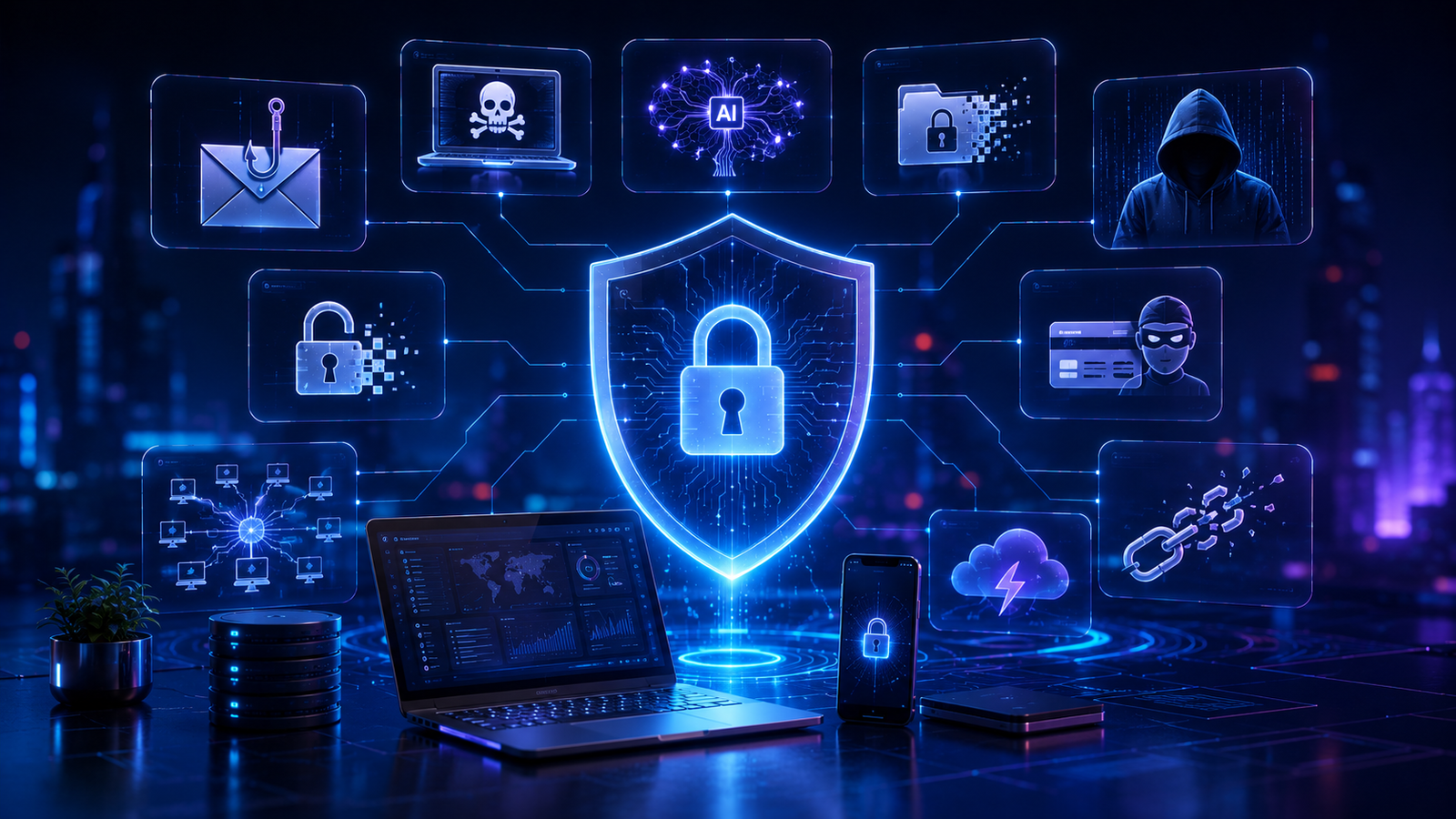
The cybersecurity threats in 2026 are becoming more sophisticated as attackers combine traditional techniques with automation, artificial intelligence, social engineering, stolen credentials, and attacks against interconnected digital services.
Recent cybersecurity assessments continue to identify ransomware, social engineering, data-related threats, malware, denial-of-service attacks, and supply-chain attacks among major areas of concern. ENISA’s 2025 Threat Landscape analyzed 4,875 incidents from July 2024 through June 2025 and identified phishing as a leading initial intrusion method, while highlighting the growing role of AI in malicious activity.
The good news is that many attacks can be made much harder by using strong passwords, multifactor authentication, software updates, secure backups, cautious browsing habits, and basic security awareness.
Here are 10 of the most important cybersecurity threats to understand in 2026 and the practical steps you can take to reduce your risk.
1. Cybersecurity Threats in 2026: AI-Powered Phishing and Social Engineering
Phishing has been one of the most effective ways for attackers to trick people into revealing passwords, financial information, or access credentials.
In 2026, the danger is not simply that phishing exists. The problem is that AI can help attackers create more convincing messages at greater speed and scale.
Traditional phishing messages often contain obvious spelling mistakes or suspicious wording. Modern AI-assisted messages can be much more polished and personalized.
Attackers may impersonate:
- Banks
- Online stores
- Employers
- Government agencies
- Social media platforms
- Delivery companies
- Friends or colleagues
ENISA’s latest threat analysis identifies phishing, including related techniques such as vishing and malicious advertising, as a leading initial access vector. It also highlights the use of AI and large language models to improve phishing and social engineering operations.
How to protect yourself
Before clicking a link or providing information:
- Check the sender carefully.
- Avoid clicking unexpected login links.
- Open the official website or app directly.
- Never share one-time authentication codes with someone who contacts you unexpectedly.
- Be suspicious of urgent requests involving money or passwords.
- Verify unusual requests through another communication method.
Remember: a professional-looking message is not necessarily a legitimate message.
2. Cybersecurity Threats in 2026: Ransomware
Ransomware remains one of the most damaging forms of cyberattack.
It typically involves malicious software that prevents access to files or systems and may also involve theft of sensitive information. Attackers can then demand payment while threatening to publish stolen data.
ENISA identifies ransomware as one of the most impactful cybersecurity threats in its recent threat landscape.
Ransomware can affect:
- Businesses
- Hospitals
- Schools
- Government organizations
- Cloud environments
- Personal computers
- Network storage systems
How to Protect Yourself From Cybersecurity Threats in 2026
The most important defense is maintaining reliable backups.
Follow the 3-2-1 principle where practical:
- Keep at least 3 copies of important data.
- Store them on at least 2 different types of storage.
- Keep at least 1 copy isolated or offline.
Also:
- Keep operating systems updated.
- Use reputable security software.
- Avoid suspicious attachments.
- Restrict unnecessary administrative privileges.
- Enable multifactor authentication.
- Test your backups regularly.
A backup is only useful if you can actually restore your data from it.
3. Data Breaches and Stolen Personal Information
A data breach occurs when unauthorized individuals gain access to protected information.
The stolen data may include:
- Names
- Email addresses
- Passwords
- Phone numbers
- Addresses
- Financial information
- Authentication data
- Personal identification information
The danger does not always end when the original breach is discovered. Stolen information can potentially be used later for phishing, fraud, account takeover, impersonation, or other attacks.
ENISA continues to classify threats against data as a major component of the cybersecurity landscape.
How to protect yourself
You cannot completely control the security practices of every company that stores your information, but you can reduce the consequences.
Use:
- Unique passwords for important accounts
- A reputable password manager
- Multifactor authentication
- Credit or financial account alerts where available
- Regular account reviews
If a service announces a breach, follow its official security instructions and change affected credentials immediately—especially if you reused the same password elsewhere.
4. Malware and Infostealers
Malware is a broad category covering malicious software designed to compromise systems, steal information, damage files, or perform unauthorized activities.
One particularly concerning category is information-stealing malware, often called infostealers.
These threats may target information stored on devices, including browser data, authentication information, and other sensitive credentials.
How malware gets onto devices
Common routes include:
- Malicious downloads
- Pirated software
- Fake browser updates
- Malicious advertisements
- Phishing attachments
- Compromised websites
- Fake applications
- Untrusted extensions
How to protect yourself
Only install software from trusted sources.
You should also:
- Keep your operating system updated.
- Update browsers and applications.
- Remove software you no longer use.
- Avoid pirated programs.
- Review browser extensions regularly.
- Use security protection appropriate for your device.
- Do not disable security warnings simply to install unknown software.
CISA also recommends keeping software and equipment updated because end-of-life products no longer receive security patches or fixes.
5. AI-Generated Scams and Deepfakes
Artificial intelligence is creating new opportunities for cybercriminals to make scams more convincing.
AI can be used to generate realistic:
- Voice recordings
- Images
- Videos
- Fake profiles
- Messages
- Social engineering content
The problem becomes particularly serious when criminals impersonate someone you know.
For example, you might receive a convincing voice message appearing to come from a family member asking for urgent financial assistance.
AI-assisted impersonation can also target employees, executives, customers, and public figures.
CISA has warned that generative AI can reduce the cost and increase the scale of malicious activities, including phishing, social engineering, fake profiles, realistic images, voice impersonation, and deepfakes.
How to protect yourself
Do not trust a voice, image, or video alone.
For unusual requests:
- Call the person using a number you already know.
- Ask a question only the real person would reasonably know.
- Confirm financial requests through another channel.
- Avoid making urgent payments based solely on a phone call or video.
- Be cautious about information you publicly share online.
The key lesson is simple: seeing or hearing someone is no longer sufficient proof of identity.
6. Account Takeover and Password Attacks
Your password is still one of the most important barriers protecting your online accounts.
Attackers can obtain credentials through phishing, malware, data breaches, password reuse, or automated attacks.
If you use the same password across multiple websites, one compromised account can potentially put other accounts at risk.
How to protect your accounts
Create a unique password for every important service.
A password manager can make this much easier.
Also enable multifactor authentication whenever it is available.
Prioritize MFA for:
- Banking
- Cloud storage
- Social media
- Password manager
- Work accounts
- Cryptocurrency accounts
For highly sensitive accounts, prefer stronger phishing-resistant authentication methods where available.
7. Software Vulnerabilities and Zero-Day Exploits
Every piece of software can potentially contain security vulnerabilities.
Attackers may exploit vulnerabilities in:
- Operating systems
- Browsers
- Routers
- Mobile applications
- Plugins
- Cloud services
- Business software
- Internet-connected devices
A zero-day vulnerability can be particularly dangerous because defenders may have little or no time to patch systems before exploitation begins.
Modern attackers can also combine vulnerability exploitation with other techniques to gain access and move through networks.
How to protect yourself
Keep everything updated:
- Windows
- macOS
- Android
- iOS
- Browsers
- WordPress
- Plugins
- Router firmware
- Security applications
Remove unsupported software whenever possible.
For websites, especially WordPress sites, regularly update the core platform, themes, and plugins and remove plugins that are no longer required.
8. Supply-Chain and Third-Party Attacks
Modern digital systems rarely operate independently.
A company may rely on:
- Cloud providers
- Software vendors
- Payment processors
- Hosting companies
- Plugins
- APIs
- Managed service providers
- Open-source dependencies
This interconnectedness creates a supply-chain risk.
Instead of attacking a large target directly, attackers may compromise a smaller or less-protected supplier and use that relationship as a route toward another organization.
ENISA has specifically highlighted the increasing targeting of cyber dependencies and supply chains.
How to protect yourself
For businesses:
- Know which third parties have access to your systems.
- Limit vendor permissions.
- Require appropriate security controls.
- Monitor important integrations.
- Review supplier security regularly.
- Maintain an incident-response plan.
For individual users, use reputable applications and keep installed software to a reasonable minimum.
9. DDoS and Service Availability Attacks
Distributed denial-of-service, or DDoS, attacks attempt to overwhelm a website, server, or online service with large amounts of traffic or requests.
The objective is generally to make a service slow or unavailable.
DDoS attacks can affect:
- Websites
- Online stores
- Gaming services
- Public services
- Applications
- APIs
- Business infrastructure
ENISA’s 2025 Threat Landscape reported DDoS as the dominant incident type in its assessed dataset, while ransomware remained the most impactful threat.
How organizations can reduce the risk
Businesses should consider:
- DDoS protection services
- Content delivery networks
- Rate limiting
- Traffic monitoring
- Redundant infrastructure
- Incident-response procedures
- Scalable hosting architecture
For ordinary users, the main lesson is to recognize that a service outage is not automatically evidence that your own device has been hacked.
10. Mobile and IoT Security Threats
Smartphones, smart TVs, cameras, routers, watches, and other connected devices have become important parts of everyday life.
Each connected device can potentially become another security entry point.
Older devices are particularly concerning when manufacturers stop providing security updates.
Attackers may target vulnerable devices to:
- Steal information
- Access networks
- Spy on users
- Create botnets
- Distribute malware
- Launch attacks against other systems
ENISA’s recent threat analysis also notes increased attention toward mobile-device attacks, particularly involving outdated devices.
How to protect your devices
Follow these basic rules:
- Install security updates promptly.
- Change default passwords.
- Disable unnecessary services.
- Download apps only from trusted stores.
- Review application permissions.
- Replace unsupported devices when practical.
- Secure your home Wi-Fi network.
- Keep your router firmware updated.
The Biggest Cybersecurity Mistakes People Still Make
Even sophisticated security tools cannot completely protect someone who repeatedly ignores basic security practices.
Avoid these common mistakes:
Reusing passwords
One leaked password can affect multiple accounts.
Ignoring software updates
Unpatched vulnerabilities can give attackers opportunities to compromise devices.
Clicking links without checking them
A legitimate-looking message can still lead to a fraudulent website.
Sharing too much personal information
Public information can help attackers create convincing targeted scams.
Using outdated devices
Unsupported devices may no longer receive important security fixes.
Trusting urgent requests
Scammers often create pressure so victims act before thinking.
Not having backups
A hardware failure, ransomware infection, or accidental deletion can destroy important data.
How to Protect Yourself Online in 2026
You do not need to become a cybersecurity expert to significantly improve your security.
Start with these practical steps.
1. Use a Password Manager
A password manager can help you generate and store unique passwords.
This removes the need to remember dozens of complicated passwords yourself.
2. Turn On Multifactor Authentication
MFA adds another security layer beyond your password.
Whenever possible, enable it for important accounts.
3. Keep Everything Updated
Do not ignore security updates.
Enable automatic updates where appropriate.
4. Back Up Important Files
Protect important documents, photos, and other irreplaceable files with reliable backups.
5. Be Careful With Unexpected Messages
Treat unexpected requests for passwords, money, codes, or sensitive information with caution.
6. Secure Your Wi-Fi
Change default router credentials and use modern Wi-Fi security settings supported by your equipment.
7. Review Account Activity
Regularly check login activity and security alerts for important accounts.
8. Remove Unnecessary Apps and Extensions
Every additional application or browser extension can introduce another potential source of risk.
9. Protect Your Phone Number and Email
Your email account is particularly important because it may be used to reset passwords for many other services.
Protect it with a strong unique password and MFA.
10. Have a Recovery Plan
Know what you will do if:
- Your account is hacked
- Your phone is lost
- Your computer is infected
- Your password is stolen
- Your data is encrypted
- Your email account is compromised
Preparation can reduce panic and limit damage.
A Simple Cybersecurity Checklist
Use this quick checklist to improve your online security:
- Use unique passwords for important accounts.
- Enable MFA wherever available.
- Keep operating systems and applications updated.
- Back up important files.
- Avoid suspicious links and attachments.
- Download software from trusted sources.
- Review account login alerts.
- Secure your home Wi-Fi.
- Remove unsupported software.
- Be cautious with urgent financial requests.
- Verify unexpected identity claims.
- Limit the personal information you publicly share.
Final Thoughts
Understanding cybersecurity threats in 2026 is essential for anyone who uses the internet for work, banking, shopping, communication, or entertainment. Although attackers are using increasingly sophisticated techniques, basic security practices can still significantly reduce your risk.
The cybersecurity landscape in 2026 is changing rapidly. Traditional threats such as phishing, ransomware, malware, data breaches, vulnerabilities, and DDoS attacks remain important, while AI is making some existing techniques faster, cheaper, and more convincing.
Recent ENISA research emphasizes that attackers are increasingly exploiting interconnected digital dependencies and using AI to enhance malicious activities. Its 2026 analysis also warns that AI can compress parts of the attack lifecycle, putting additional pressure on traditional security processes.
However, better online security does not require perfect technical knowledge.
Start with the fundamentals:
Strong unique passwords + MFA + updates + backups + careful clicking + security awareness.
These simple habits can significantly reduce your exposure to many common cyber threats.
The most important cybersecurity tool is not a single application. It is a consistent security mindset.
FAQ
What are the biggest cybersecurity threats in 2026?
Cybersecurity threats in 2026 include phishing, ransomware, malware, data breaches, AI-assisted attacks, DDoS attacks, and supply-chain risks.There is no single universally accepted number-one threat for every person or organization. Current threat assessments highlight ransomware, phishing and social engineering, data threats, malware, DDoS attacks, and supply-chain risks among major concerns. The most relevant threat depends on the target and environment.
How can I protect myself from phishing attacks?
Do not click unexpected links, verify the sender, avoid sharing passwords or authentication codes, and access important services through their official apps or websites instead of links in unsolicited messages.
Is AI making cyberattacks more dangerous?
AI can help attackers create convincing phishing and social-engineering content more quickly and at greater scale. It can also support other stages of an attack, increasing pressure on defenders.
Is antivirus software enough to protect me?
No. Security software is useful, but it should be combined with software updates, strong unique passwords, multifactor authentication, backups, careful browsing, and good security practices.
How do I protect my accounts after a data breach?
Change the affected password immediately, especially if it was reused elsewhere. Enable MFA, review recent account activity, and follow the affected service’s official security guidance.
Are smartphones vulnerable to cyberattacks?
Yes. Smartphones can be targeted through malicious apps, phishing, vulnerabilities, stolen credentials, and other techniques. Keep your operating system and applications updated and install apps only from trusted sources.
Should I pay a ransomware demand?
Paying does not guarantee that attackers will restore access or delete stolen information. Organizations facing ransomware should follow their incident-response procedures and seek qualified cybersecurity and legal assistance appropriate to their situation.
How often should I update my passwords?
Password changes should not be treated as a substitute for good security. Use unique passwords and MFA, and change a password immediately if you believe it has been exposed or compromised.