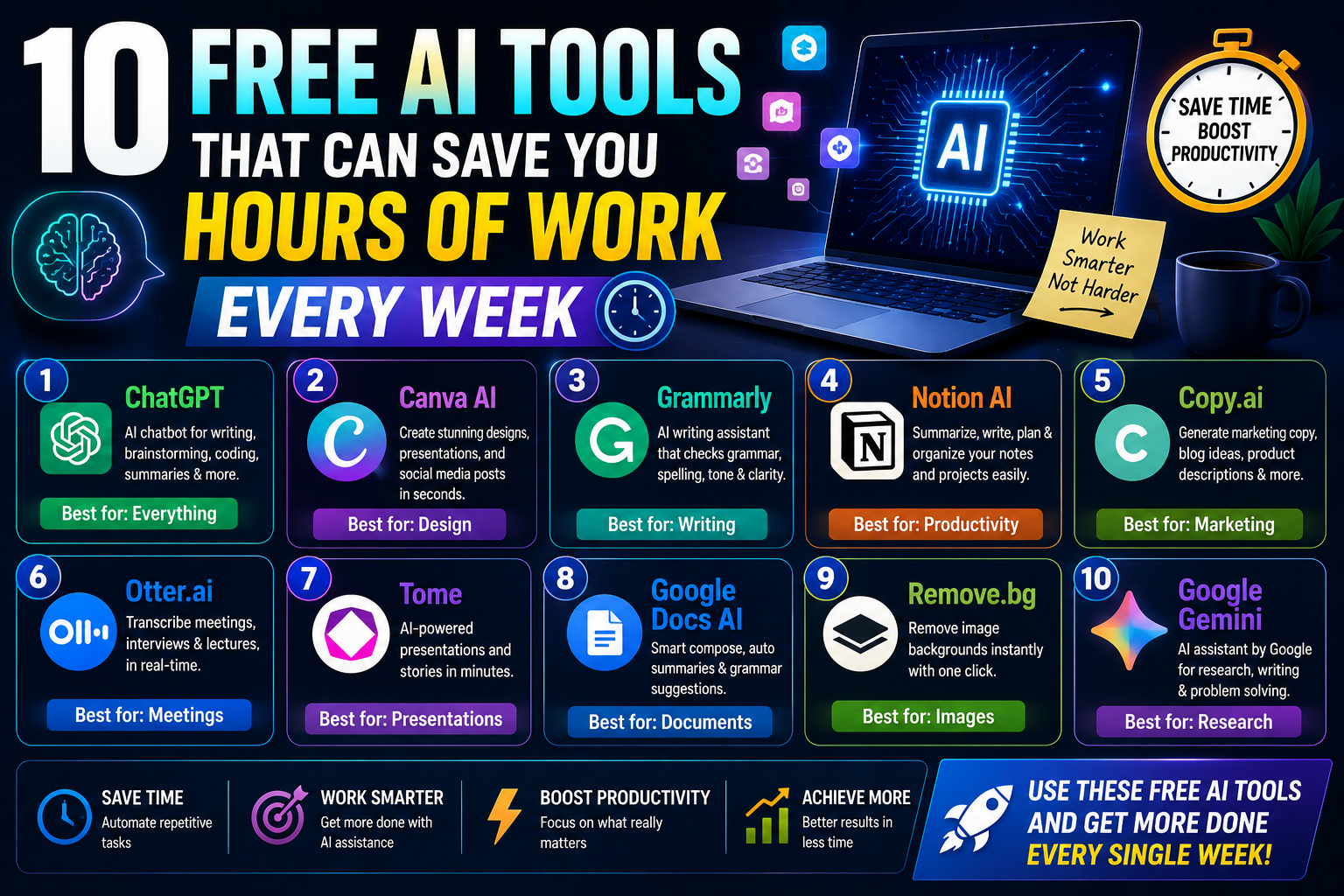
10 Free AI Tools That Can Save You Hours of Work Every Week (2026 Guide)
Artificial Intelligence has become one of the biggest productivity boosters in recent years. The best part? Many powerful AI tools offer generous free plans that can help you write faster, design better, automate repetitive tasks, and save hours of work every week.
Whether you’re a student, freelancer, business owner, content creator, or developer, these free AI tools can streamline your workflow without costing a dime.
In this guide, we’ll explore the 10 best free AI tools in 2026 and explain how each one can help you work smarter.
Why Use Free AI Tools?
AI tools can help you:
- Automate repetitive tasks
- Create high-quality content faster
- Improve writing and communication
- Generate images and videos
- Summarize long documents
- Analyze data
- Organize projects
- Increase productivity without hiring extra staff
Even using just two or three of these tools can save several hours every week.
1. ChatGPT
Best For: Writing, brainstorming, coding, learning, and everyday productivity
ChatGPT is one of the most versatile AI assistants available. Its free version can help with:
Features
- Write blog posts
- Draft emails
- Generate code
- Summarize articles
- Solve math problems
- Brainstorm ideas
- Translate languages
- Create study notes
Best For
- Students
- Bloggers
- Developers
- Freelancers
- Business owners
Why It Saves Time: Instead of starting from a blank page, ChatGPT can generate first drafts, explain complex topics, and help solve problems in minutes.
2. Google Gemini
Best For: Google Workspace users
Gemini works seamlessly with Google’s ecosystem.
Free Features
- Gmail assistance
- Google Docs writing
- Spreadsheet help
- Summarization
- Brainstorming
- Search-based answers
Ideal if you spend most of your day using Google services.
3. Grammarly
Best For: Writing improvement
Grammarly’s free plan helps eliminate grammar mistakes and improve clarity.
Features
- Grammar checking
- Spelling correction
- Punctuation fixes
- Writing suggestions
Perfect for:
- Emails
- Reports
- Essays
- Blog posts
4. Canva AI
Best For: Graphic design
Canva’s free plan includes AI-powered tools that simplify creating professional visuals.
AI Features
- Magic Design
- AI image generation (limited)
- Background remover (limited)
- Presentation templates
- Social media graphics
Great for marketers, educators, and small businesses.
5. Notion AI (Free Features)
Best For: Notes and organization
Notion helps manage projects, tasks, and documents, with limited AI features available on free plans.
Uses
- Organize notes
- Create task lists
- Draft documents
- Brainstorm ideas
- Project planning
Excellent for students and remote teams.
6. Perplexity AI
Best For: Research
Perplexity combines AI-generated answers with cited sources, making research faster and more transparent.
Great For
- Research papers
- Homework
- Fact-checking
- Quick summaries
- Learning new topics
A strong choice for students and professionals who need reliable starting points.
7. GitHub Copilot (Free for Eligible Users)
Best For: Programming
GitHub Copilot helps developers write code more efficiently.
Features
- Code completion
- Function generation
- Debugging assistance
- Documentation support
Excellent for learning new programming languages and speeding up development.
8. Otter.ai
Best For: Meeting transcription
Otter AI converts speech into searchable text.
Free Plan Includes
- Meeting transcription
- Voice recording
- Searchable notes
- Basic summaries
Perfect for:
- Online meetings
- Interviews
- Lectures
- Podcasts
9. ElevenLabs
Best For: AI voice generation
ElevenLabs offers realistic AI-generated voices with a free tier suitable for light usage.
Uses
- YouTube narration
- Podcasts
- Audiobooks
- Educational videos
- Voiceovers
Content creators can save significant recording time.
10. Zapier AI
Best For: Workflow automation
Zapier connects thousands of apps and automates repetitive tasks.
Example Automations
- Save email attachments automatically
- Create tasks from emails
- Share new blog posts on social media
- Sync customer information
Even simple automations can save hours every month.
Comparison Table
| AI Tool | Best For | Free Plan Available |
|---|---|---|
| ChatGPT | Writing & Productivity | ✅ Yes |
| Google Gemini | Google Workspace | ✅ Yes |
| Grammarly | Writing | ✅ Yes |
| Canva AI | Graphic Design | ✅ Yes |
| Notion | Notes & Projects | ✅ Yes |
| Perplexity AI | Research | ✅ Yes |
| GitHub Copilot | Coding | ✅ Eligible users/free options |
| Otter.ai | Transcription | ✅ Yes |
| ElevenLabs | AI Voice | ✅ Yes |
| Zapier | Automation | ✅ Yes |
How These Tools Save Time
Writers
- Generate outlines
- Improve grammar
- Rewrite content
- Brainstorm headlines
Students
- Summarize textbooks
- Explain concepts
- Organize notes
- Create study plans
Developers
- Generate code
- Fix bugs
- Learn APIs
- Write documentation
Businesses
- Automate repetitive tasks
- Draft emails
- Create presentations
- Improve customer communication
Content Creators
- Design graphics
- Generate voiceovers
- Edit videos
- Create captions
- Plan content calendars
Tips for Getting the Most from Free AI Tools
- Combine tools for different tasks (for example, use ChatGPT for drafting, Grammarly for editing, and Canva AI for visuals).
- Explore each tool’s free features before considering a paid plan.
- Keep sensitive or confidential information out of AI prompts unless you’re confident in the service’s privacy policies.
- Review AI-generated content for accuracy and personalize it before publishing.
Frequently Asked Questions
Are free AI tools really useful?
Yes. Many free plans are powerful enough for students, freelancers, creators, and small businesses, though they usually have usage limits or fewer advanced features than paid plans.
Which free AI tool is best overall?
ChatGPT is one of the strongest all-purpose options because it supports writing, coding, brainstorming, learning, and general productivity.
Which AI tool is best for students?
ChatGPT, Perplexity AI, Grammarly, and Notion work well together for studying, research, note-taking, and writing.
Can AI replace productivity software?
AI complements productivity software by automating repetitive work and generating content, but traditional tools are still important for editing, collaboration, and file management.
Is it worth upgrading to paid plans?
If you rely on an AI tool daily for professional work, a paid plan may be worthwhile for higher limits and advanced capabilities. Casual users can often accomplish a great deal with free tiers alone.
Final Thoughts
Free AI tools have reached a point where they can genuinely transform the way you work. From writing articles and researching topics to designing graphics, transcribing meetings, and automating workflows, these tools can eliminate repetitive tasks and free up valuable time each week.
Start with ChatGPT, Google Gemini, and Grammarly for everyday productivity, then add specialized tools like Canva AI, Perplexity AI, Otter.ai, or Zapier as your workflow grows. By choosing the right combination, you can work faster, produce higher-quality results, and make the most of your time in 2026.