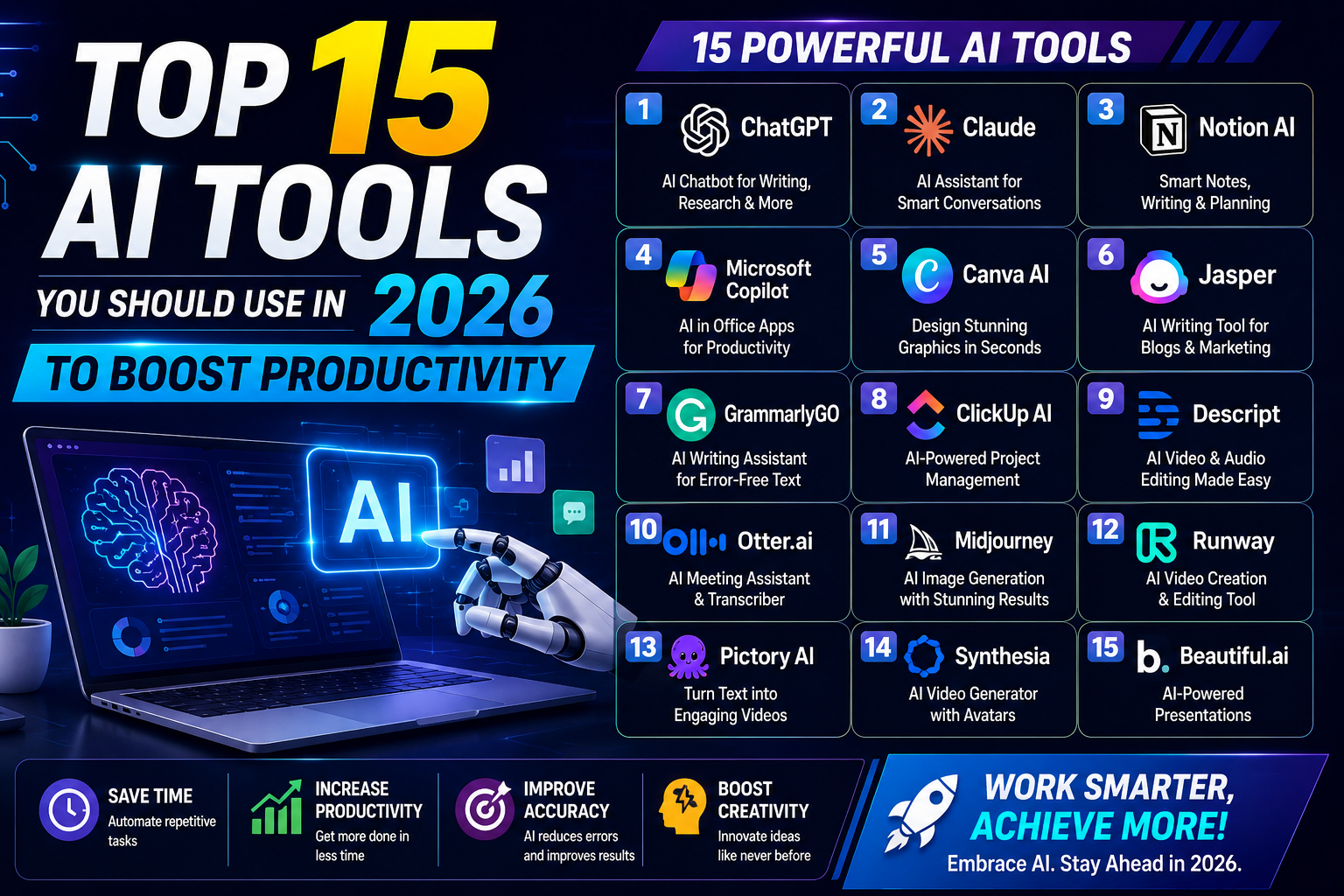
Top 15 AI Tools You Should Use in 2026 to Boost Productivity
Artificial Intelligence (AI) has become an essential part of modern work, helping individuals and businesses automate repetitive tasks, create high-quality content, analyze data, and improve efficiency. Whether you’re a student, content creator, marketer, programmer, or entrepreneur, AI tools can save hours of work every week.
In this guide, we’ll explore the top 15 AI productivity tools in 2026, their key features, and how they can help you work smarter.
1. ChatGPT
Best For: Writing, coding, brainstorming, research, and productivity
ChatGPT remains one of the most powerful AI assistants available. It can generate articles, write emails, summarize documents, solve coding problems, create marketing content, and answer complex questions in seconds.
Key Features
- Content writing
- Code generation
- Image generation
- Data analysis
- Brainstorming ideas
- Research assistance
- Language translation
Ideal For:
- Bloggers
- Students
- Developers
- Businesses
- Freelancers
2. Google Gemini
Best For: Google Workspace productivity
Gemini integrates deeply with Gmail, Docs, Sheets, and Drive.
Features
- Email drafting
- Spreadsheet analysis
- Document summarization
- Meeting notes
- Google Search integration
Perfect for professionals already using Google’s ecosystem.
3. Microsoft Copilot
Best For: Office productivity
Microsoft Copilot brings AI directly into Word, Excel, Outlook, Teams, and PowerPoint.
Benefits
- Generate reports
- Analyze Excel data
- Create presentations
- Draft emails
- Meeting summaries
Businesses using Microsoft 365 gain significant productivity improvements.
4. Notion AI
Best For: Note-taking and project management
Notion AI transforms ordinary notes into organized knowledge bases.
Features
- Meeting summaries
- Task generation
- Document writing
- Brainstorming
- Workflow automation
Great for teams and remote workers.
5. Grammarly
Best For: Writing improvement
Grammarly now offers AI-powered rewriting, tone adjustment, grammar checking, and content suggestions.
Helps With
- Emails
- Blog posts
- Reports
- Academic writing
- Business communication
6. Canva AI
Best For: Graphic design
Canva AI makes professional design accessible to everyone.
AI Features
- Magic Design
- AI image generation
- Background remover
- Presentation creator
- Video editing
- Social media templates
Excellent for marketers and content creators.
7. Midjourney
Best For: AI artwork
Midjourney creates stunning digital artwork from simple text prompts.
Popular for:
- Logos
- Illustrations
- Concept art
- Book covers
- Marketing visuals
8. Adobe Firefly
Best For: Creative professionals
Adobe Firefly integrates AI directly into Photoshop and Illustrator.
Capabilities
- Generative Fill
- AI image editing
- Text effects
- Object removal
- Image expansion
Perfect for designers and photographers.
9. GitHub Copilot
Best For: Software developers
GitHub Copilot helps developers write code faster.
Features
- Auto-complete code
- Explain code
- Bug fixes
- Generate functions
- Documentation
Supports dozens of programming languages.
10. Perplexity AI
Best For: Research
Perplexity combines AI responses with real-time web information.
Advantages include:
- Fast research
- Source citations
- Accurate summaries
- Academic assistance
- Fact-checking
Ideal for researchers and students.
11. Claude
Best For: Long-form writing
Claude excels at handling lengthy documents and maintaining context across long conversations.
Great For
- Research papers
- Business reports
- Legal summaries
- Technical documentation
- Long articles
12. Zapier AI
Best For: Automation
Zapier AI connects thousands of applications without coding.
Examples:
- Save email attachments automatically
- Post blogs to social media
- Create tasks from emails
- Sync customer information
Automation saves countless hours every month.
13. Otter.ai
Best For: Meeting transcription
Otter AI converts spoken conversations into searchable text.
Useful for:
- Online meetings
- Interviews
- Lectures
- Podcasts
- Team collaboration
14. Runway
Best For: AI video editing
Runway has become one of the leading AI video platforms.
Features include:
- AI video generation
- Background removal
- Motion tracking
- Text-to-video
- Object removal
Excellent for YouTubers and social media creators.
15. ElevenLabs
Best For: AI voice generation
ElevenLabs creates realistic AI voices for videos, audiobooks, podcasts, and narrations.
Uses
- YouTube narration
- Audiobooks
- Voiceovers
- Educational content
- Podcasts
High-quality natural voices make it a favorite among creators.
Comparison Table
| AI Tool | Best For | Ideal Users |
|---|---|---|
| ChatGPT | Writing & Coding | Everyone |
| Gemini | Google Workspace | Professionals |
| Microsoft Copilot | Microsoft Office | Businesses |
| Notion AI | Notes & Projects | Teams |
| Grammarly | Writing | Students & Professionals |
| Canva AI | Graphic Design | Marketers |
| Midjourney | AI Art | Designers |
| Adobe Firefly | Image Editing | Creative Professionals |
| GitHub Copilot | Programming | Developers |
| Perplexity AI | Research | Students |
| Claude | Long Documents | Writers |
| Zapier AI | Automation | Businesses |
| Otter.ai | Transcription | Teams |
| Runway | Video Editing | Creators |
| ElevenLabs | Voice Generation | YouTubers |
Benefits of Using AI Tools
Using AI tools can help you:
- Save hours of repetitive work
- Increase productivity
- Improve writing quality
- Create professional designs
- Automate workflows
- Generate high-quality videos and images
- Analyze data faster
- Reduce operational costs
- Enhance collaboration
- Learn new skills more efficiently
Tips for Choosing the Right AI Tool
Before subscribing to an AI platform, consider:
- Your specific use case (writing, coding, design, or automation)
- Integration with your existing software
- Pricing and free plans
- Ease of use
- Privacy and security features
- Collaboration capabilities
Often, combining a few specialized tools provides better results than relying on a single platform.
Frequently Asked Questions
Which AI tool is best overall in 2026?
ChatGPT remains one of the most versatile AI assistants due to its capabilities in writing, coding, research, image generation, and data analysis.
Which AI tool is best for students?
ChatGPT, Perplexity AI, Grammarly, and Notion AI are excellent choices for studying, note-taking, research, and writing assistance.
What is the best AI tool for content creators?
Canva AI, Runway, ElevenLabs, ChatGPT, and Adobe Firefly offer a powerful combination for creating written, visual, audio, and video content.
Can AI replace productivity software?
AI enhances productivity software by automating repetitive tasks and providing intelligent assistance, but it works best alongside traditional tools rather than replacing them entirely.
Are free AI tools sufficient?
Many AI tools offer free plans that are suitable for casual users. Professionals with higher usage needs often benefit from paid plans that unlock advanced features and higher usage limits.
Final Thoughts
AI is transforming the way we work, learn, and create. Whether you’re drafting articles, designing graphics, editing videos, writing code, or automating business workflows, the right AI tools can dramatically improve your productivity. Start with a few that align with your needs, explore their free tiers, and gradually build an AI-powered workflow that saves time and boosts the quality of your work.