
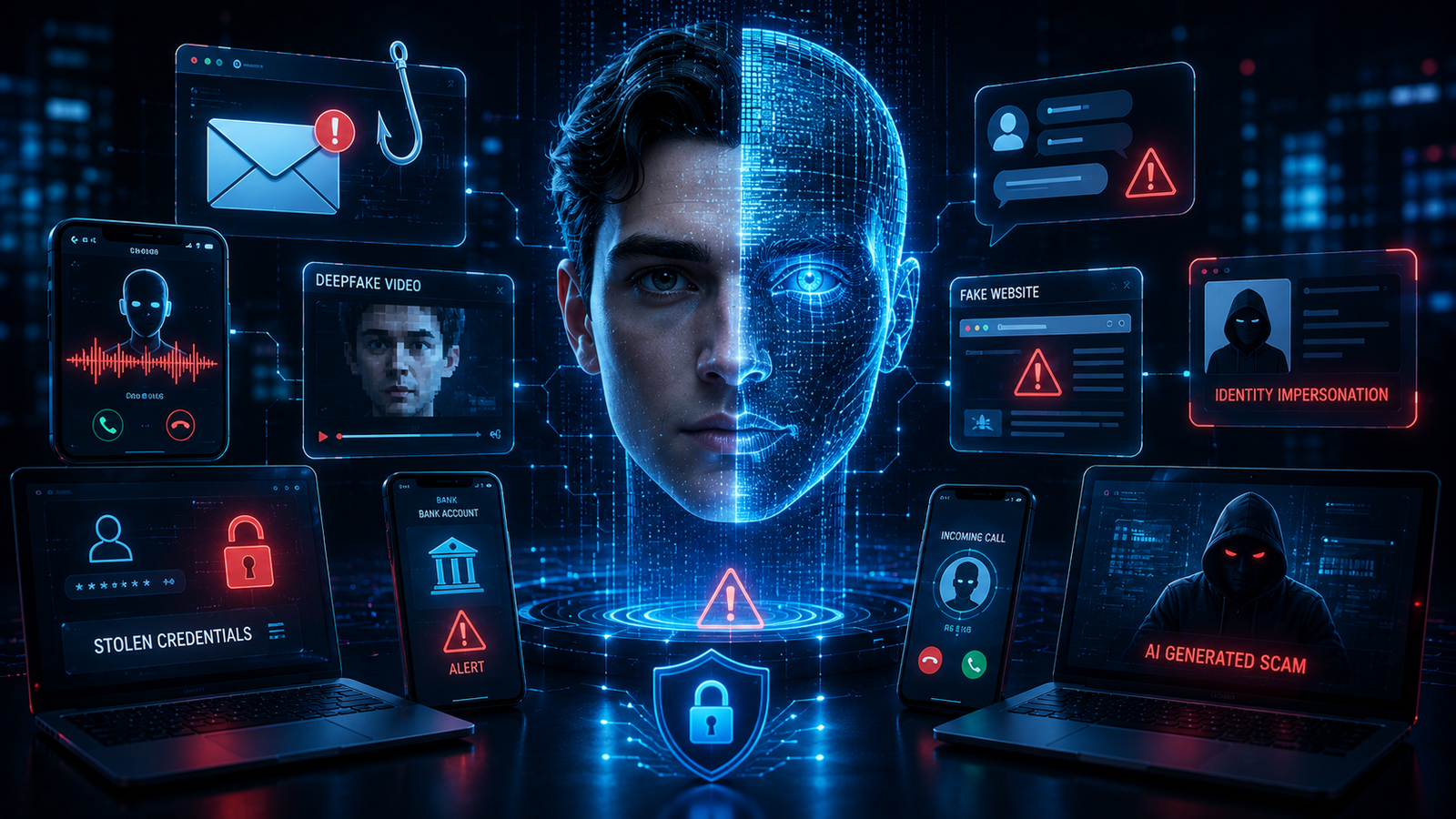
AI Scams Are Getting Smarter in 2026: 12 Warning Signs You Should Never Ignore
Artificial intelligence is making everyday technology more useful, but it is also giving scammers new ways to make online fraud look convincing. In 2026, an unexpected email, phone call, social media message, or video may look and sound more legitimate than ever.
AI can help criminals create polished phishing messages, realistic fake profiles, convincing voice impersonations, manipulated images, and other social-engineering content. That does not mean every AI-generated message is a scam, but it does mean that old warning signs such as poor spelling are no longer enough to determine whether something is genuine.
The good news is that you can still protect yourself. The key is learning how modern scams create urgency, imitate trusted people and organizations, and manipulate you into making a quick decision.
In this guide, we explain 12 warning signs of AI scams in 2026, how these scams work, and what you should do if you receive a suspicious message, call, image, or video.
What Are AI Scams in 2026?
AI scams are fraudulent schemes that use artificial intelligence or AI-assisted tools to make scams more convincing, personalized, automated, or scalable.
The underlying scam may be familiar. It could involve phishing, identity theft, financial fraud, fake customer support, investment fraud, account takeover, or impersonation.
What has changed is the quality and speed of the content scammers can create.
AI-assisted scams may involve:
- Highly personalized emails
- Realistic voice impersonation
- Fake video calls
- AI-generated profile photos
- Fake customer-service conversations
- Convincing social media messages
- Automated responses
- Fake documents or screenshots
- Personalized phishing attempts
- Impersonation of friends, family members, executives, or companies
CISA warns that generative AI can make phishing and social-engineering activity more convincing and easier to scale, while the FBI describes spoofing as disguising an email address, phone number, sender name, or website URL to make a scam appear legitimate.
Why AI Scams Are Getting Harder to Detect
Older scams often contained obvious clues.
You might have noticed:
- Strange grammar
- Obvious spelling mistakes
- Poor-quality images
- Unprofessional wording
- Strange formatting
AI can reduce many of these obvious signs.
A scammer can potentially create a message that sounds professional, matches the style of a company, and refers to information about the intended victim.
That means the most important question is no longer simply:
“Does this message look professional?”
Instead, ask:
“Was I actually expecting this message, and can I independently verify the request?”
That change in mindset can make a major difference.
12 Warning Signs of AI Scams in 2026
1. The Message Creates Extreme Urgency
One of the biggest warning signs is pressure.
A scammer may tell you:
- Your account will be closed today.
- Your payment failed.
- Your package is waiting.
- Your bank account has been restricted.
- Your computer is infected.
- You must verify your identity immediately.
- Someone is trying to access your account.
The goal is to make you react before you have time to think.
What to do
Stop.
Do not click the provided link or call the number included in the suspicious message.
Instead, open the company’s official website or app yourself and check your account there.
The FBI specifically recommends looking up a company’s contact information independently rather than using the phone number supplied by a potential scammer.
2. Someone Asks for Money Immediately
An urgent request for money should always receive extra scrutiny.
This could arrive through:
- SMS
- Telegram
- A phone call
- A video call
The scammer may pretend to be:
- A family member
- A friend
- Your boss
- A customer
- A business partner
AI-generated voice and visual impersonation can make these situations especially convincing.
What to do
Never send money simply because the person sounds or looks familiar.
Contact the person through a separate channel using a phone number or account you already trust.
3. The Voice Sounds Familiar but Something Feels Wrong
Voice impersonation is another reason AI scams in 2026 deserve attention.
A scammer may attempt to imitate someone’s voice and then use the imitation during an urgent conversation.
The request might be:
“I need money right now. Please don’t tell anyone.”
The important thing is not whether the voice sounds realistic.
The important thing is whether the request can be independently verified.
What to do
Use a separate communication method.
Call the person directly using a saved number.
If possible, establish a family or workplace verification phrase for emergencies involving money or sensitive information.
4. The Video Call Feels Unusual
Video can create a powerful sense of trust.
People naturally assume that seeing someone’s face means they are communicating with the real person.
That assumption can be dangerous.
Warning signs may include:
- Unusual facial movement
- Audio that does not perfectly match the person
- Strange delays
- Repeated requests for money
- A camera angle that seems unusual
- Avoidance of normal conversation
- Pressure to act immediately
These signs do not prove a video is fake, but they should encourage you to verify the person’s identity independently.
What to do
Ask the person to contact you through another known account or phone number.
Do not approve financial transfers based solely on a video call.
5. The Website Address Looks Almost Correct
Phishing websites often imitate legitimate websites.
A scammer may create a domain that looks similar to a real company.
For example, a fraudulent website might use:
- Extra characters
- Misspelled words
- Unusual subdomains
- Different domain extensions
- Lookalike spellings
The FBI specifically recommends carefully examining email addresses and URLs because scammers may make small changes that are easy to overlook.
What to do
Do not rely on the appearance of the page.
Instead, manually type the official website address into your browser or use the company’s official app.
6. The Sender Wants Your Password or Verification Code
A legitimate service should not require you to hand over your password through an unexpected email, message, or phone call.
Be especially cautious if someone asks for:
- Passwords
- One-time codes
- MFA codes
- Recovery codes
- PINs
- Banking information
- Cryptocurrency wallet credentials
What to do
Never share authentication codes with someone who unexpectedly contacts you.
If someone claims to be from a company, end the conversation and contact that company through its official website or app.
CISA and the FBI both recommend strong authentication practices and caution around unsolicited communications.
7. The Scam Knows Surprisingly Much About You
Personalized scams can be more convincing because scammers may use information already available online.
They might know:
- Your name
- Workplace
- City
- Family members
- Recent purchases
- Social media interests
- Professional position
This does not automatically mean your account has been hacked.
Some information may simply be publicly available.
What to do
Do not assume that a message is legitimate just because it contains accurate personal details.
Verify the sender independently.
Also review what personal information you publicly share online.
8. You Are Being Told to Keep the Conversation Secret
Secrecy is a major social-engineering warning sign.
A scammer may say:
- “Don’t tell your family.”
- “Don’t contact customer support.”
- “This is confidential.”
- “Your manager doesn’t need to know.”
- “Don’t tell anyone until the payment is complete.”
The purpose is to prevent you from asking someone else for advice.
What to do
Treat secrecy as a reason to pause.
Talk to someone you trust before making an important financial or security decision.
A legitimate emergency may require confidentiality sometimes, but an unexpected demand for secrecy combined with money or credentials should receive serious scrutiny.
9. The Message Contains a Suspicious Attachment
AI can make fake invoices, documents, resumes, delivery notices, and other files appear more believable.
A suspicious attachment may attempt to:
- Steal credentials
- Install malware
- Redirect you to a phishing website
- Trick you into enabling dangerous features
What to do
Do not open unexpected attachments.
If the message appears to come from someone you know, contact them separately and ask whether they actually sent the file.
CISA recommends caution around suspicious emails, attachments, and links as part of phishing and malware defense.
10. The Offer Looks Too Good to Be True
AI can help scammers create professional-looking advertisements and promotional messages.
Common examples include:
- Fake investment opportunities
- Unrealistic discounts
- Guaranteed profits
- Fake job offers
- Cryptocurrency giveaways
- Fake prizes
- “Limited-time” financial opportunities
The more attractive the offer appears, the more important independent verification becomes.
What to do
Research the company independently.
Do not use the contact information provided by the suspicious advertisement.
Never send money simply because an opportunity promises guaranteed returns.
11. Someone Wants You to Install Remote-Access Software
Fake technical-support scams can become especially dangerous when the scammer convinces a victim that their computer is infected.
They may ask you to install remote-access software so they can “fix” the problem.
Once access is granted, the attacker may attempt to view files, steal information, change settings, or access accounts.
What to do
Do not give remote access to someone who unexpectedly contacts you.
If you believe your computer has a problem, contact the software manufacturer, your IT department, or a trusted technician through an independently verified channel.
For Windows users, keeping the operating system updated is an important part of maintaining security. You can also review our guide on 10 Common Windows 11 Problems and How to Fix Them for general Windows troubleshooting and maintenance.
12. The Scammer Keeps Pushing You to Act
Sometimes the strongest warning sign is simply the behavior of the person contacting you.
If someone refuses to let you:
- Think
- Verify
- Call someone else
- Visit an official website
- Speak to your bank
- Ask questions
then stop the conversation.
A legitimate company may have deadlines, but a request involving money, credentials, or sensitive information should still be independently verifiable.
AI Scams vs Traditional Scams
AI does not necessarily create an entirely new type of fraud.
Instead, it can improve existing scam techniques.
| Traditional Scam | AI-Assisted Version |
|---|---|
| Generic phishing email | Personalized phishing message |
| Fake profile | Realistic AI-generated profile |
| Written impersonation | Personalized text and voice |
| Fake customer support | Automated convincing conversation |
| Simple fake image | Highly realistic generated image |
| Basic phone scam | Voice-assisted impersonation |
| Generic social engineering | Highly targeted social engineering |
The important lesson is that the underlying manipulation often remains familiar.
The technology changes, but the goal is usually the same:
Make you trust the scammer enough to take an action that benefits the attacker.
How to Verify a Suspicious Message
When you receive something that feels unusual, use this simple process.
Step 1: Stop
Do not immediately click, reply, download, transfer money, or provide information.
Step 2: Identify the Request
Ask yourself:
What exactly does this person want me to do?
Is the request for:
- Money?
- Password?
- Verification code?
- Personal information?
- Remote access?
- A download?
- A login?
The more sensitive the request, the more carefully you should verify it.
Step 3: Verify Independently
Do not use the contact details included in the suspicious message.
Instead:
- Open the official website yourself.
- Use the official mobile app.
- Call a trusted number.
- Contact the person through another known channel.
Step 4: Check the URL
Look carefully at the website address.
Do not assume a website is legitimate just because it uses the correct logo or design.
Step 5: Ask Someone You Trust
If you are uncertain, show the message to someone you trust.
A second opinion can help break the urgency created by the scammer.
How to Protect Yourself From AI Scams in 2026
You cannot prevent every scam from reaching you, but you can make successful attacks much harder.
Use Multifactor Authentication
Enable MFA on important accounts, especially:
- Banking
- Social media
- Cloud storage
- Work accounts
- Password managers
Use Unique Passwords
Never reuse your most important password across multiple services.
A password manager can help generate and store unique credentials.
Keep Your Software Updated
Security updates can fix vulnerabilities attackers may exploit.
Keep your:
- Operating system
- Browser
- Mobile apps
- Router firmware
- WordPress installation
- Plugins
updated.
Limit Public Personal Information
Review your social media privacy settings.
Avoid publicly displaying unnecessary information such as:
- Home address
- Phone number
- Birthday
- Travel plans
- Family details
- Workplace information
The less information scammers can easily collect, the harder targeted impersonation can become.
Create a Verification Habit
For important requests, use this rule:
Pause → Verify → Decide
Never let urgency replace verification.
What to Do If You Already Fell for an AI Scam
If you have already clicked a suspicious link, sent money, shared credentials, or provided sensitive information, act quickly.
If You Shared Your Password
Change it immediately.
If the same password was used elsewhere, change it on those accounts too.
If You Shared an Authentication Code
Secure the affected account immediately and review recent login activity.
If You Sent Money
Contact your bank, card issuer, payment provider, or relevant financial service as soon as possible.
If You Installed Suspicious Software
Disconnect the affected device from networks when appropriate and seek qualified technical assistance.
If Your Account Was Compromised
Change credentials, enable MFA, review recovery settings, and check for unauthorized activity.
Do not continue communicating with the scammer simply because they promise to recover your money or account.
Useful Cybersecurity Resources
For additional guidance, use authoritative sources rather than random security posts or social media advice.
- CISA: Malware, Phishing, and Ransomware — official guidance on common cyber threats and phishing protection.
- FBI: Spoofing and Phishing — practical advice for recognizing and reporting phishing and spoofing.
- CISA Cyber Guidance for Small Businesses — useful security guidance for organizations and small businesses.
Related FixOps Guides
If you want to improve your overall digital security and technology skills, these related FixOps guides can help:
- Top 15 AI Tools You Should Use in 2026 to Boost Productivity
- The Best AI Image Generators in 2026
- 10 Free AI Tools That Can Save You Hours of Work Every Week
- ChatGPT vs Google Gemini vs Claude: Which AI Assistant Is Best in 2026?
- How to Speed Up a Slow PC: 15 Proven Performance Fixes
Final Thoughts
AI scams are becoming more convincing, but you do not need advanced technical knowledge to protect yourself.
The most important defense is learning to recognize manipulation.
If a message creates extreme urgency, asks for money or sensitive information, uses an unexpected link, demands secrecy, or refuses independent verification, stop before taking action.
The biggest lesson for AI scams in 2026 is simple:
Do not trust something simply because it looks, sounds, or feels real. Verify it independently.
AI may make scams more convincing, but a careful verification habit can still stop many attacks before they succeed.
Frequently Asked Questions
What are AI scams?
AI scams are fraudulent schemes that use artificial intelligence or AI-assisted tools to create more convincing messages, impersonations, images, voices, videos, or social-engineering content.
Are AI scams getting worse in 2026?
AI is making some existing scam techniques easier to personalize, automate, and make more convincing. Phishing and social engineering remain important concerns, while AI-generated content can make impersonation harder to recognize.
How can I tell if a voice message is AI-generated?
You generally cannot rely on the voice alone. Verify unexpected requests through another trusted communication channel, especially when money, passwords, or sensitive information are involved.
Can AI create fake videos of real people?
AI technology can be used to create or manipulate realistic visual content. Because of this, an unusual video call or video message should not automatically be treated as proof of identity.
Should I click a link from my bank if the message looks real?
Do not rely on the appearance of the message. Instead, open your bank’s official app or manually enter its official website address and check for notifications there.
What should I do if an AI scammer contacts me?
Do not provide sensitive information, send money, click suspicious links, or install software. Save relevant evidence, block the scammer when appropriate, and report the incident to the relevant platform or organization.
How can I protect my family from AI scams?
Teach family members to pause before responding to urgent requests, verify unusual calls independently, avoid sharing authentication codes, and discuss a simple family verification method for emergency financial requests.
What is the most important rule for avoiding AI scams?
Pause and verify. Never allow urgency, fear, excitement, or pressure to force you into making an important decision before independently confirming who is contacting you.